
Volunteer Sign-up Instructions
1. Log in to the swimtopia site. Login is found in the upper right hand corner of the screen.
2. Click the Meets and Events tab from the main navigation menu

3. Find the meet or social you would like to volunteer for and click the green JOB SIGNUP tab
4. Click "Sign up For Jobs"
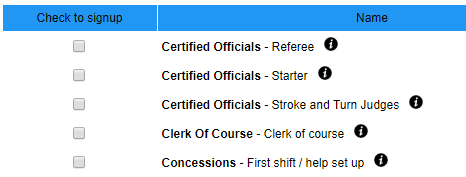
5. Select the box under "Check to signup" on the left for the shift you would like to volunteer for. Click 
6. Click

7. Click Back to Signup Calendar.
8. Repeat for any open events for which you would like to volunteer. Both parents can sign up for jobs at the same meet.


Certified Officials
We always welcome additional trained and certified officials for our meets.
For those who wish to become certified officials, the training schedule can be found on the NVSL website