Swimmer Absentee instructions
To declare a swimmer unavailable for a swim meet
1. Log in to the website. Login is found in the upper right hand corner of the screen.
If you can’t remember your password, click "Forgot your password" to reset your password.
2. Click the Meets & Events tab from the main navigation menu

3. Click the "signup calendar" and find the meet you can not attend. Click the green MEET ENTRY button next to the meet you'd like to enter
4. Underneath you will see a list of athletes associated with your account. Click Edit to add or change their attendance.
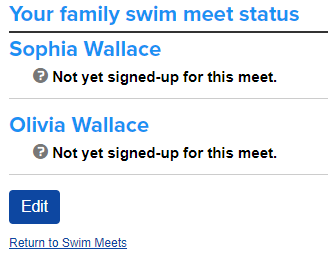
5. Select an attendance option from the drop-down menu next to each swimmer's name.

6. Click "SAVE"
Text Area
Simple formatted text